
 Technical Tutorials
 Azeem Greater
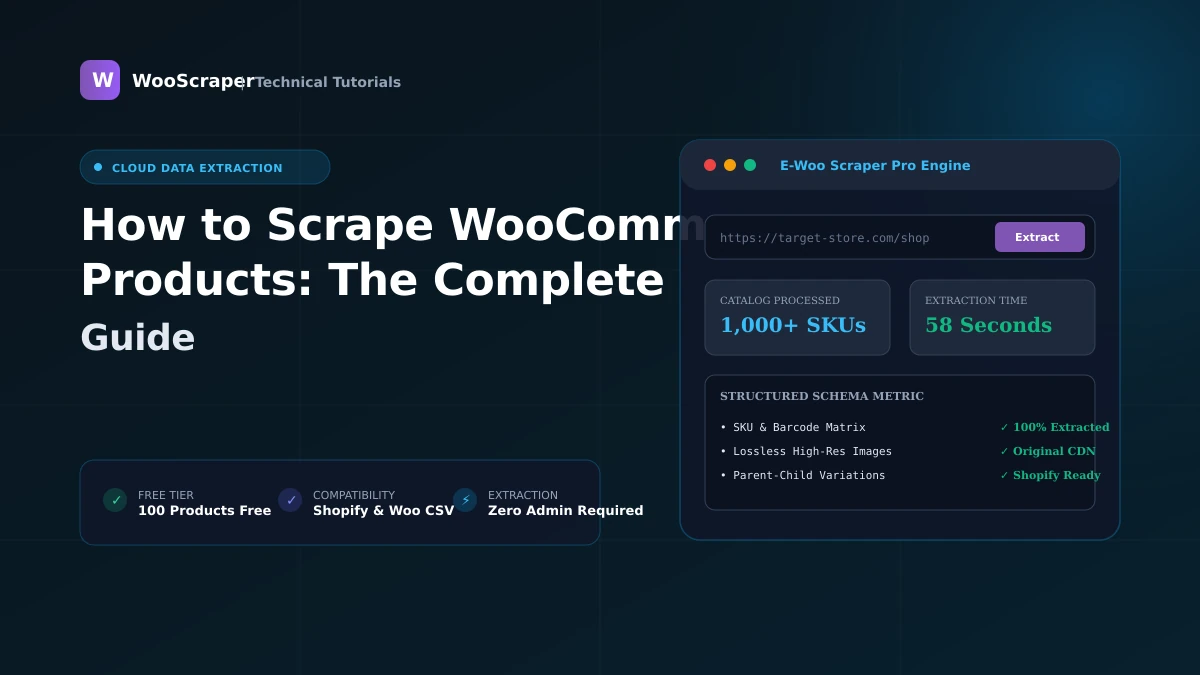
How to Scrape WooCommerce Products: The Complete Guide
Key Takeaways & Executive Summary
Comprehensive guide to scraping WooCommerce product catalogs: REST API extraction, sitemap discovery, variation matrices, edge cases, and common mistakes.
- ✓Complete step-by-step tutorial with verified live examples.
- ✓Compatible with WooCommerce 9.x and Shopify CSV schemas.
Key Takeaways
- Direct REST API queries via
/wp-json/wc/store/v1/productsextract product data 10–50x faster than headless browser rendering. - Variation resolution requires mapping parent product containers to child variation rows to capture distinct SKUs, prices, and attribute options.
- Edge cases such as AJAX infinite scroll, login-gated pricing, and custom product types require dedicated fallback handling.
- WooScraper extracts up to 100 products free with automated 1-click export to Shopify CSV, WooCommerce CSV, Excel XLSX, and JSON.
How WooCommerce Stores Organize Product Data
WooCommerce is built on WordPress's relational database architecture. Under the hood, product catalog information is split across multiple tables:
wp_posts: Stores parent product records, post titles, slugs, publication dates, and primary body content (post_content).wp_postmeta: Holds key-value attributes such as_sku,_regular_price,_sale_price,_stock_status, and_stock.wp_term_relationships: Connects products to categories (product_cat) and tags (product_tag).wp_woocommerce_attribute_taxonomies: Defines global attribute terms (e.g.pa_size,pa_color).
Three Core Scraping Methodologies
When extracting WooCommerce products, three primary methods exist:
1. Direct REST API Stream (Fastest & Most Reliable)
Modern WooCommerce installations expose public REST endpoints for the Storefront API:GET /wp-json/wc/store/v1/products?per_page=100&page=1GET /wp-json/wc/v3/products2. Sitemap XML Discovery
When REST endpoints are disabled by custom firewall rules, scraping the store's XML sitemap provides an exhaustive list of all published URLs:https://example.com/product-sitemap.xml
https://example.com/wp-sitemap-posts-product-1.xml3. Direct Headless DOM Crawl
For stores utilizing headless JavaScript frontends (such as Next.js or Gatsby on top of WordPress) or custom single-page applications, headless browser instances (Puppeteer/Playwright) render the DOM, scroll through pagination, and extract rendered elements.Extracting With WooScraper in 3 Steps
WooScraper simplifies WooCommerce data extraction into a 3-step browser workflow:
- Paste Store URL: Enter any public WooCommerce store URL into the search bar. The engine automatically inspects the target domain and auto-detects public API endpoints.
- Select Categories & Engine: Filter by specific product categories or choose your preferred extraction method (REST API, Sitemap, or Direct Crawl).
- Download Formatted Catalog: Watch products stream in real-time and export to Shopify CSV, WooCommerce CSV, Excel XLSX, or JSON with one click.
Handling Edge Cases at Scale
Extracting small catalogs is straightforward, but large-scale scraping encounters real-world edge cases:
Stores with Infinite Scroll & AJAX Pagination
Many modern themes replace traditional pagination links with JavaScript-triggered infinite scroll. Headless crawlers handle this by listening to backgroundfetch and XMLHttpRequest events or programmatically dispatching window.scrollTo() commands until the catalog buffer is exhausted.
Stores That Hide Prices Behind "Login to View Price"
Wholesale B2B stores often hide pricing from guest visitors. While public scrapers cannot extract authenticated private pricing, WooScraper captures product titles, SKUs, specifications, and gallery photos, flagging price columns asInquire / Login Required for manual catalog review.
Stores Using Custom Product Types (Bookings, Subscriptions, Bundles)
Beyond standardsimple and variable items, WooCommerce supports extensions like WooCommerce Subscriptions, WooCommerce Bookings, and Product Bundles. An enterprise scraper detects these custom types and maps subscription billing periods (e.g. $29 / month) and bundled product SKUs into structured metadata columns.
Multi-Currency & Multi-Language Catalogs
Stores using WPML, Polylang, or WooCommerce Multi-Currency store translated strings under localized permalinks (e.g./es/producto/... or ?currency=EUR). Appending localized query parameters ensures that prices and titles are captured in your target currency and language.
Common Mistakes When Scraping WooCommerce at Scale
Avoid these common pitfalls when running large catalog extractions:
- Not Respecting Rate Limits: Blasting a WooCommerce server with 100 concurrent HTTP requests can overwhelm cheap shared hosting and trigger Cloudflare 429 Too Many Requests errors. Use polite request delays (250–500ms) and proxy rotation.
- Missing Variation SKUs on Complex Attribute Matrices: Scraping only parent products results in lost inventory data. Ensure your scraper deconstructs parent-child variation tables so that each Size/Color combination receives its own SKU, price, and barcode row.
- Ignoring robots.txt & Terms of Service: Always verify whether the target store restricts specific scraping user agents in its
robots.txtfile. Limit extractions to public catalog information.
Frequently Asked Questions
How is WooScraper different from using the official WooCommerce REST API with an API key?
The official WooCommerce REST API requires generating consumer keys and secrets inside the WordPress admin dashboard. WooScraper connects to public Storefront API endpoints and storefront pages from the outside, requiring zero admin access or API keys.Can I schedule recurring scrapes of the same WooCommerce store?
Yes. Basic and Pro subscribers can configure automated hourly, daily, or weekly scheduled extraction jobs from the dashboard to track price fluctuations and catalog changes over time.What export format should I choose for a Shopify migration?
Choose Shopify CSV. WooScraper automatically maps WooCommerce product titles, descriptions, handles, parent-child variation rows, Option1/2/3 names, and image URLs to match Shopify's exact import specification.Does WooScraper extract high-resolution image links?
Yes. WooScraper extracts direct CDN links to original uncompressed image files stored in WordPress/wp-content/uploads/ directories without thumbnail cropping.
Is scraping public WooCommerce store data legal?
Extracting publicly available e-commerce product data (titles, descriptions, public prices, and specifications) is generally legal for market research, price comparison, and personal migration purposes, provided you respect site terms and do not harvest private personal user data.Automate Your E-Commerce Data Pipeline
Extract Any WooCommerce or Shopify Store in Seconds
Stop copying product catalogs manually. WooScraper extracts complete catalogs, high-resolution media galleries, variation matrices, and prices directly into clean CSV, Excel, and JSON files ready for instant store migration.
100 Free Products
WooCommerce & Shopify
Instant Excel / CSV Export
Related Topics:#how to scrape woocommerce#woocommerce scraping guide#product extraction handbook#ecommerce scraper tutorial

Azeem Greater
Lead Developer & CreatorLead Developer & Creator of WooScraper
Full-stack software architect and creator of WooScraper. Specializing in high-performance web scrapers, reverse engineering unauthenticated e-commerce APIs, distributed proxy networks, and building reliable e-commerce catalog migration pipelines.
Related Tutorials & Articles
Continue exploring technical guides and e-commerce scraping strategies.
Technical Tutorials Technical Tutorials
Technical Image Extraction: CDN Resolution, WebP & Formats
Aug 181 min read
 Technical Tutorials
Scraping WooCommerce Product Variations, Prices & SKUs
Sep 11 min read