E-Woo Scraper Logo
All Articles
Migration & PlatformsAugust 20, 20265 min read

How to Export WooCommerce to Shopify (Step-by-Step)

How to Export WooCommerce to Shopify (Step-by-Step)
Key Takeaways & Executive Summary

Export WooCommerce products to Shopify without data loss or CSV formatting errors. Learn the exact step-by-step migration process with eWooScraper.

  • Complete step-by-step tutorial with verified live examples.
  • Compatible with WooCommerce 9.x and Shopify CSV schemas.
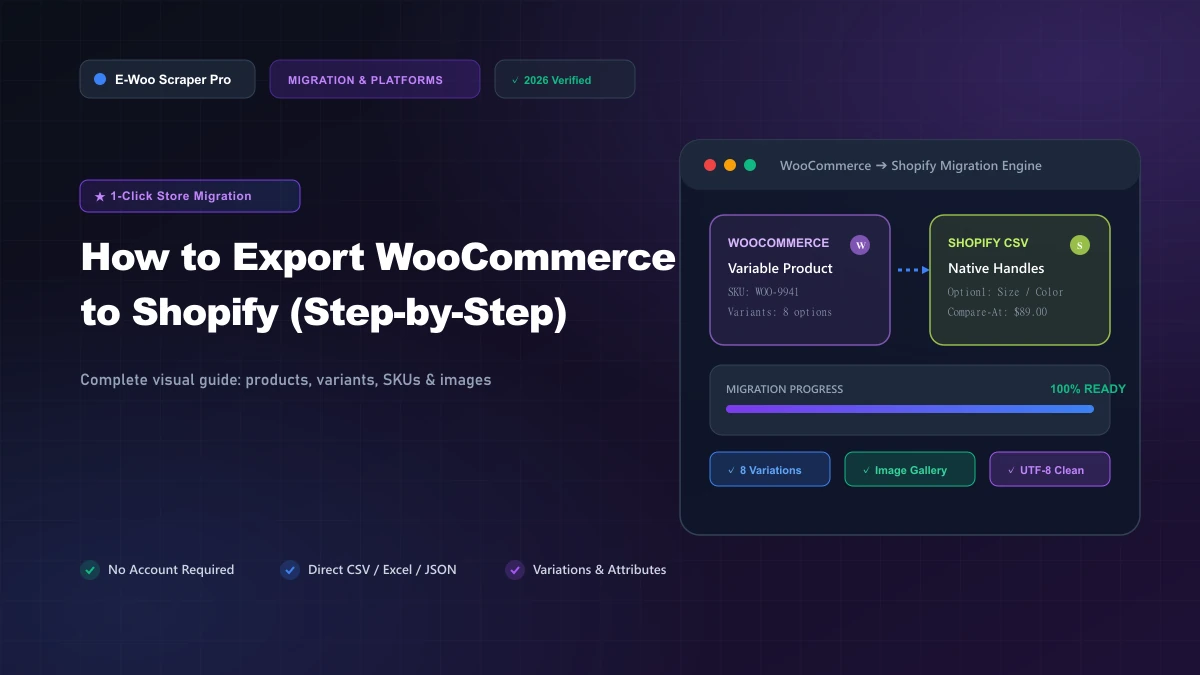
How to Export WooCommerce to Shopify (Step-by-Step) Migrating products from WooCommerce to Shopify often leads to missing image URLs, broken variants, and hours of manual data cleanup. Default WordPress CSV exports lack the column structure that Shopify requires. In this guide, you will learn how to extract and import your entire catalog cleanly in minutes.

Why Platform Migration Fails Without Structured Data

WooCommerce and Shopify format product data differently. WooCommerce separates attributes and image galleries into custom WordPress postmeta tables. When you export using native tools, product images and variant options often get flattened into unreadable strings. Shopify expects strict CSV column headers like `Handle`, `Option1 Name`, `Option1 Value`, and `Variant Inventory Qty`. If a single column is misaligned, Shopify rejects the import or corrupts your inventory levels. Ensuring exact header compatibility is the only way to avoid storefront downtime and lost sales during platform migration.

Step-by-Step Guide to Exporting WooCommerce into Shopify

Follow these actionable steps to transfer your entire catalog without writing custom code or hiring developers.

Step 1: Target the WooCommerce Store URL

  • Identify the public storefront URL or category page you want to migrate.
  • Ensure all active products and variation options are visible on the storefront.

Step 2: Extract Clean Catalog Data

  • Open eWooScraper and paste your target WooCommerce shop URL.
  • The crawler automatically scans simple products, variable items, high-res images, pricing, and stock status.
  • Live scraping monitors real-time extraction progress without slowing down your live server.

Step 3: Select Shopify-Ready CSV Output

  • Choose the Shopify CSV export profile inside your download dashboard.
  • The system automatically generates URL handles, splits parent-child variations, and formats image arrays.
  • Download your structured file with one click.

Step 4: Import Directly into Shopify Admin

  • Log into your Shopify Admin dashboard and navigate to Products > Import.
  • Upload your exported CSV file and check "Overwrite existing products" if updating inventory.
  • Click Upload and Continue to verify product preview rows before publishing.

Why eWooScraper is the Best Solution

Manual CSV adjustments and buggy WordPress export plugins waste dozens of engineering hours. eWooScraper eliminates manual spreadsheet formatting by directly mapping WooCommerce product structures into 100% compliant Shopify CSV files. It extracts high-resolution image galleries, custom attributes, SKU numbers, and sale prices automatically with zero coding required. Ready to move your store without headache? Try eWooScraper Free Today and export your first store catalog in under 60 seconds.

Frequently Asked Questions

Can I export variable products with different sizes and colors? Yes. eWooScraper extracts every parent-child variation and formats option names and values into Shopify-compatible columns. Will my product images transfer over to Shopify? Yes. All image gallery URLs are preserved and structured into Shopify multi-row image formats for automatic asset downloading. Do I need WordPress admin credentials to export my products? No. eWooScraper works directly via storefront extraction, eliminating the need to install heavy export plugins on your server. ---

How to Export WooCommerce to Shopify (Step-by-Step)

Migrating products from WooCommerce to Shopify often leads to missing image URLs, broken variants, and hours of manual data cleanup. Default WordPress CSV exports lack the column structure that Shopify requires. In this guide, you will learn how to extract and import your entire catalog cleanly in minutes.

WooCommerce and Shopify format product data differently. WooCommerce separates attributes and image galleries into custom WordPress postmeta tables. When you export using native tools, product images and variant options often get flattened into unreadable strings.

Shopify expects strict CSV column headers like `Handle`, `Option1 Name`, `Option1 Value`, and `Variant Inventory Qty`. If a single column is misaligned, Shopify rejects the import or corrupts your inventory levels. Ensuring exact header compatibility is the only way to avoid storefront downtime and lost sales during platform migration.

Follow these actionable steps to transfer your entire catalog without writing custom code or hiring developers.

Manual CSV adjustments and buggy WordPress export plugins waste dozens of engineering hours. eWooScraper eliminates manual spreadsheet formatting by directly mapping WooCommerce product structures into 100% compliant Shopify CSV files. It extracts high-resolution image galleries, custom attributes, SKU numbers, and sale prices automatically with zero coding required.

Ready to move your store without headache? Try eWooScraper Free Today and export your first store catalog in under 60 seconds.

Can I export variable products with different sizes and colors? Yes. eWooScraper extracts every parent-child variation and formats option names and values into Shopify-compatible columns.

Will my product images transfer over to Shopify? Yes. All image gallery URLs are preserved and structured into Shopify multi-row image formats for automatic asset downloading.

Do I need WordPress admin credentials to export my products? No. eWooScraper works directly via storefront extraction, eliminating the need to install heavy export plugins on your server.

---

Automate Your E-Commerce Data Pipeline

Extract Any WooCommerce or Shopify Store in Seconds

Stop copying product catalogs manually. WooScraper extracts complete catalogs, high-res images, variations, and prices directly into clean CSV, Excel, and JSON files ready for store migration.

500 Free Products
WooCommerce & Shopify
Instant Excel / CSV Export
Related Topics:#Export WooCommerce to Shopify#WooCommerce to Shopify migration#migrate WooCommerce products#WooCommerce Shopify CSV export#eWooScraper migration#e-commerce platform migration
Azeem Greater

Azeem Greater

Verified Author (E-E-A-T)

Lead Scraper Architect & Full-Stack Engineer

Specializing in large-scale e-commerce web scraping, high-concurrency catalog extraction, and modern web data infrastructure for WooCommerce and Shopify merchants.